Guidelines ↩
- Definition
- Adding guidelines
- Removing guidelines
- Editing guides
- Actions
- Guidelines popover
- Contextual menu
Definition
Guidelines are moveable lines which can be used as visual aids during the design process. They are defined by a point and an angle, and are not part of the glyph’s contours.
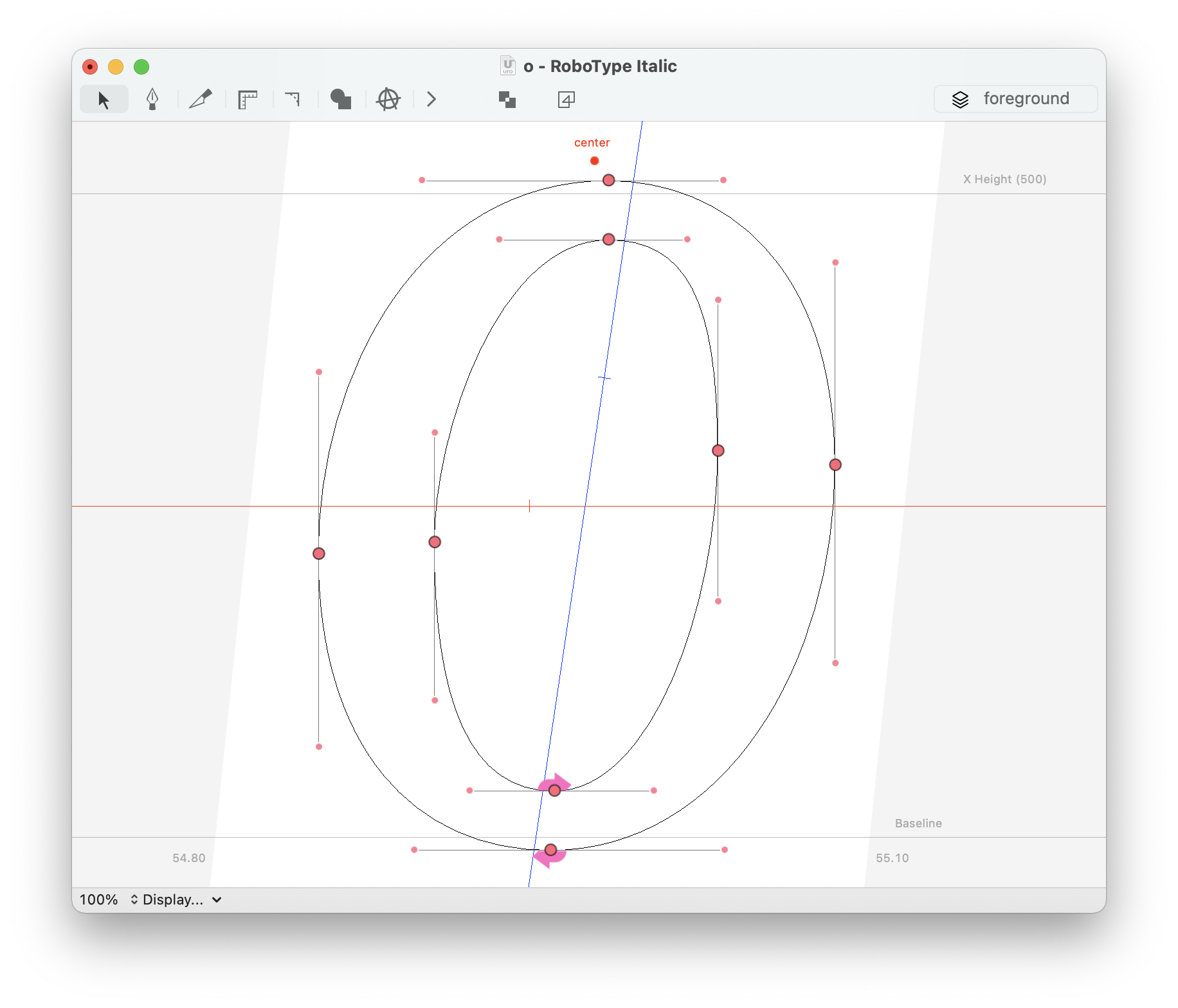
Guidelines can be of two kinds:
- font-level (global)
- displayed in all glyphs
- glyph-level (local)
- displayed in one glyph only
Each guideline may also have a color attribute and a unique identifier.
Adding guidelines
To create a new guideline, right-click on the Glyph View and select “Add Local Guideline” from the contextual menu.
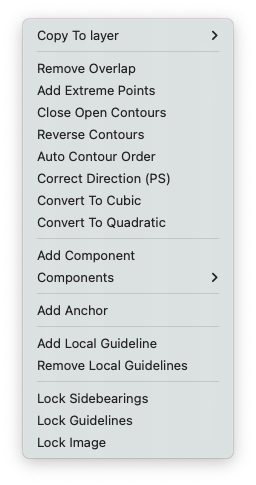
Or use the Click + add guidelines hot key (default is G) to create a new guideline.
Removing guidelines
To remove a guideline, click and drag it outside the Glyph View. You’ll see a X appearing near the cursor.
Editing guides
Guidelines can be edited with the Guidelines Sheet or the [Guidelines Inspector][Guidelines].
Actions
| action | description |
|---|---|
| Click + add guidelines hot key (default is G) | Add a guideline |
| Click + ⌥ + add guidelines hot key (default is G) | Add a global guideline |
| Click + ⇧ + add guidelines hot key (default is G) | Add a guideline following the italic angle (if set in the current font) |
| Double-click on a guide | Open the Guidelines Sheet |
| Drag out of the view | Delete the guideline |
| ⌥ + drag | Rotate the guideline |
| ⌃ + drag | Copy the guideline |
| Mouse over | Cursor displays guideline values |
| Drag over point in glyph | Snap the guideline to a point |
Guidelines popover
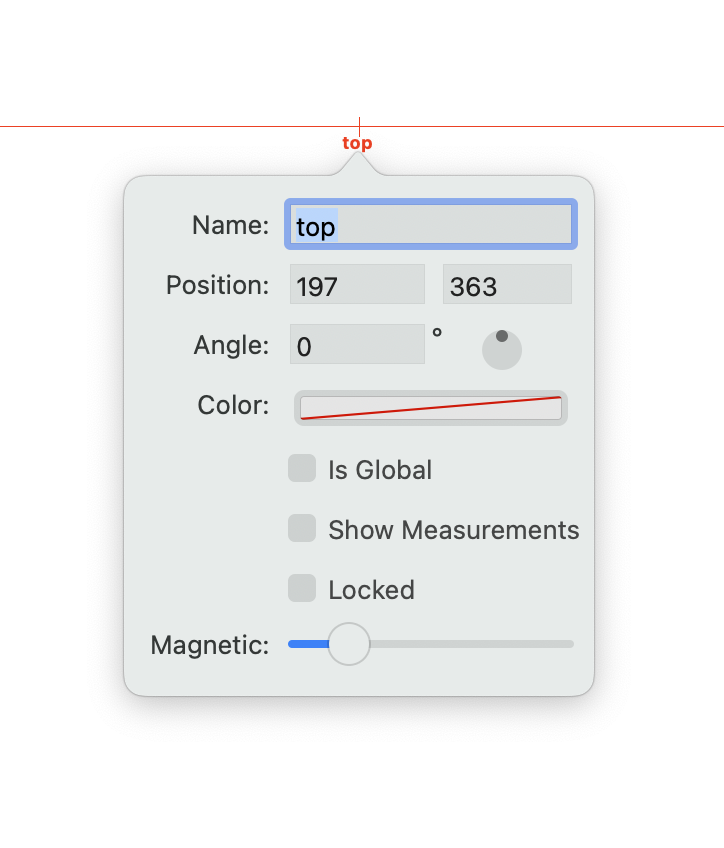
All guideline properties can be edited with a Guidelines popover, which can be opened by double clicking on a guideline using the Editing Tool.
| action | description |
|---|---|
| Name | The name of the guideline. (optional) |
| Position | The guideline’s center point as a (x,y) coordinate |
| Angle | The angle of the guideline |
| Color | The color of the guideline |
| Is Global | Make the guideline global (font-level) or local (only this glyph) |
| Show Measurements | Show measurements where the guideline interesects the glyph |
| Locked | Locks this guideline |
| Magnetic | Determine how fast a dragged selection should snap to the guideline |
Contextual menu
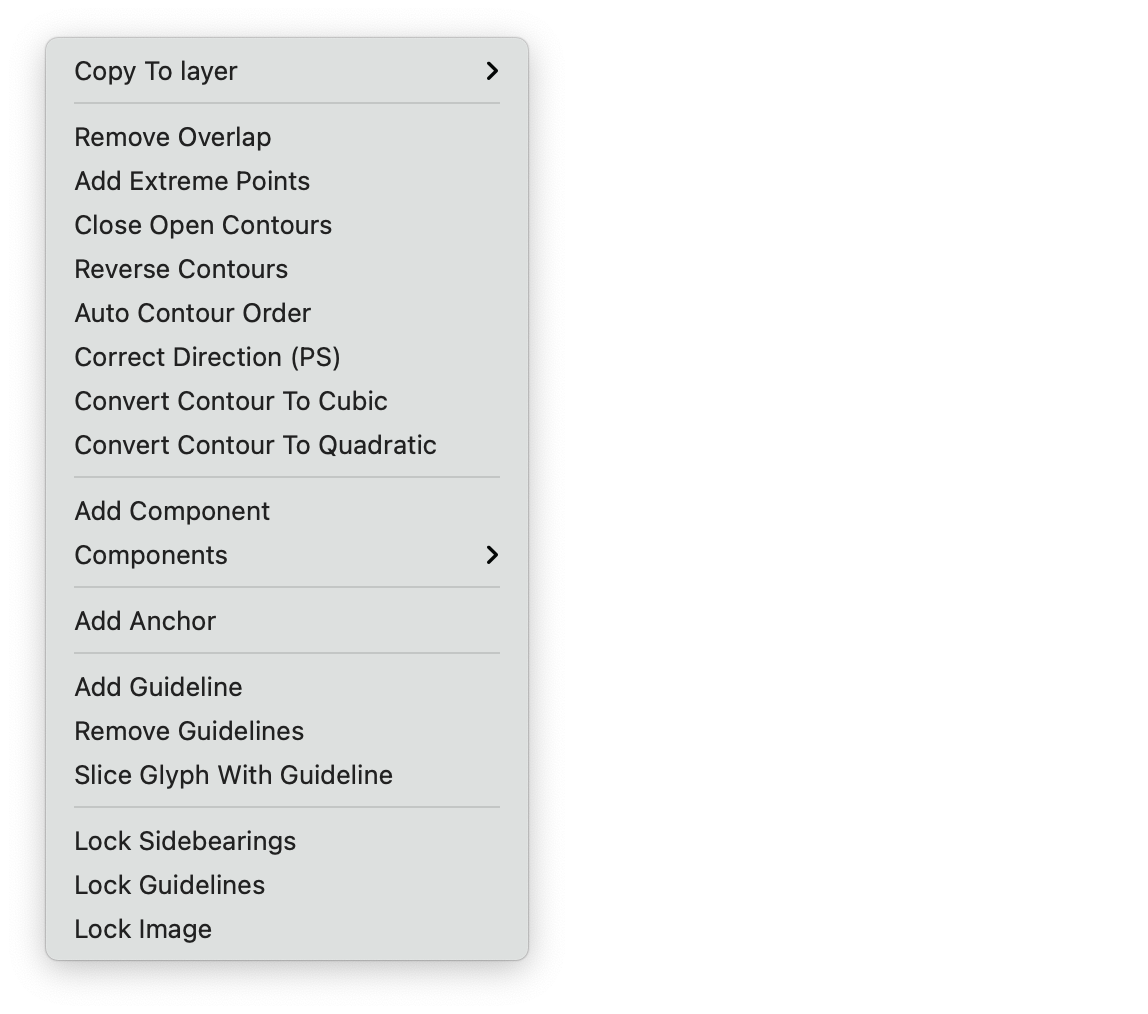
Some global guidelines properties can be edited from the Glyph View contextual menu (right-click on the Glyph View)
| action | description |
|---|---|
| Add Guideline | Add a glyph guideline |
| Remove Guidelines | Remove all glyph guidelines |
| Slice Glyph with Guideline | Every contour intersecting the guideline will be sliced |