RoboFont 4.6 ↩
Dear Users,
We are happy to announce the release of RoboFont 4.6! As always this version introduces numerous new features, substantial improvements, and lots of bug fixes. Below is a highlight of the most important updates:
-
Previewing UFO files will never be as nice with the brand new quicklook and thumbnail plugin supporting your precious drawings in MacOS Finder.
-
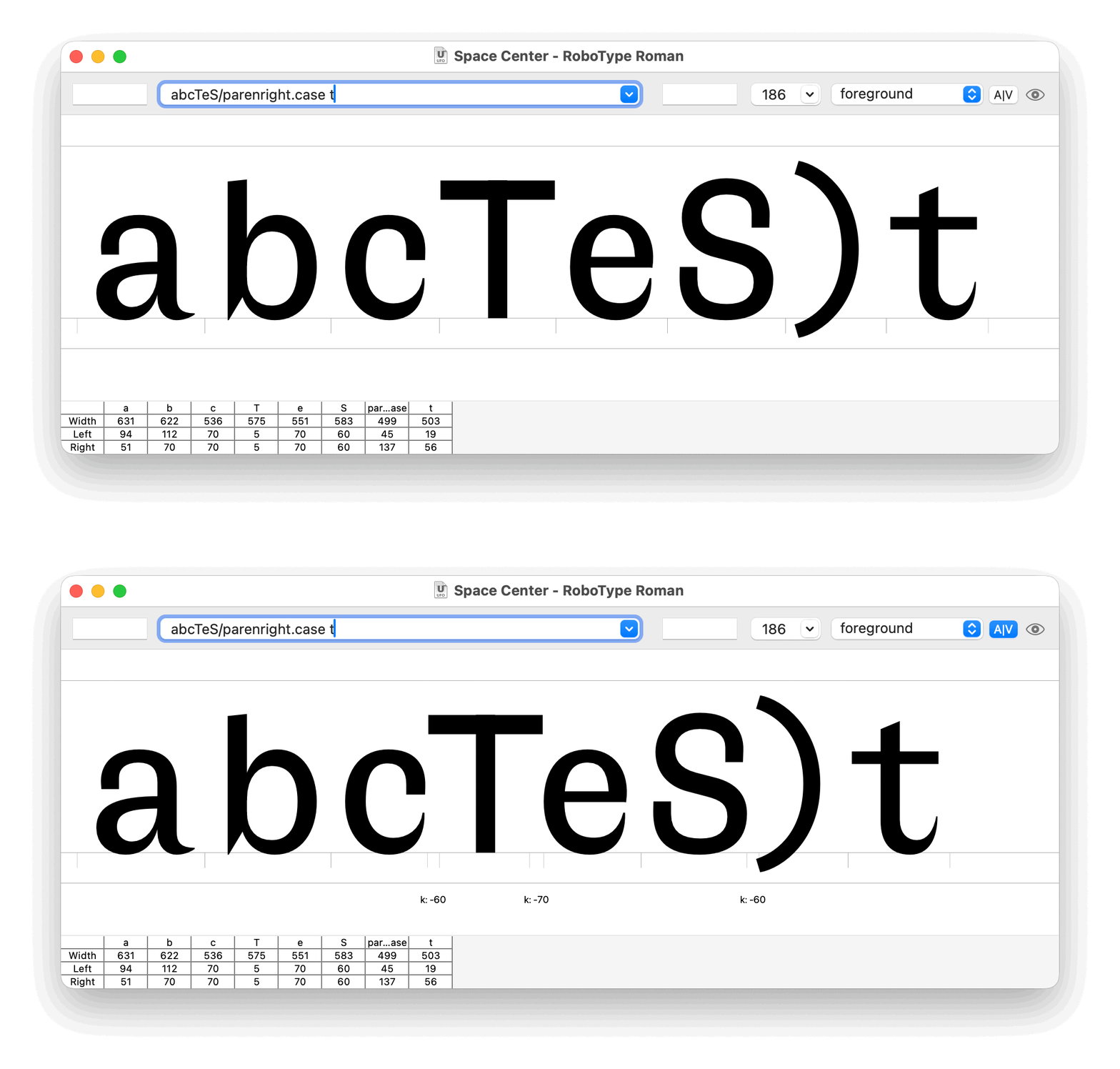
A new kern toggle button is added to visualize clearly if kerning is activated. This changes goes together with a new redesign of the Space Center display options as a popover.
- RoboFont got a nice little squircle icon!

-
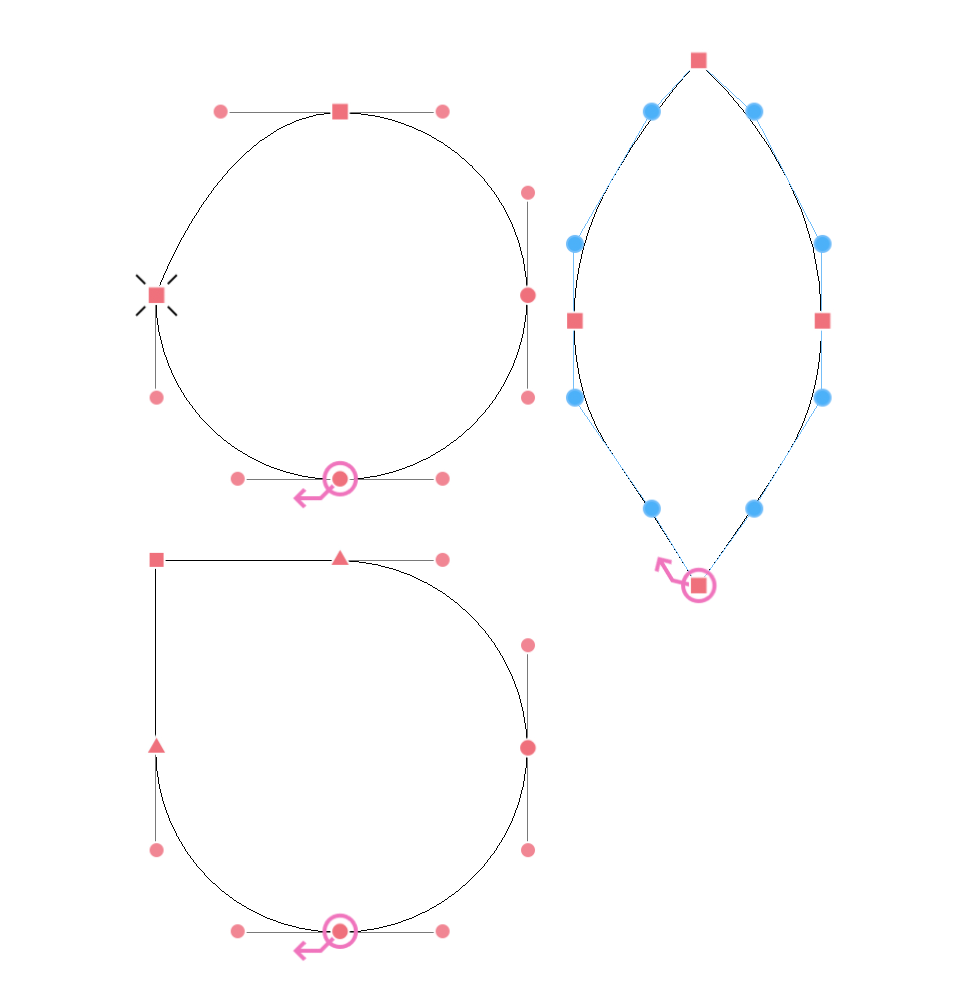
Clear distinction between all possible point types: corner points, tangent points and curve points. A tangent point is a point where a curve and a line segment smootly connects. A curve point is a point where a curve and a curve segment smoothly connects.
-
On the first launch of RoboFont users will be friendly prompted to install Mechanic, a RoboFont extension to manage all your extensions.
-
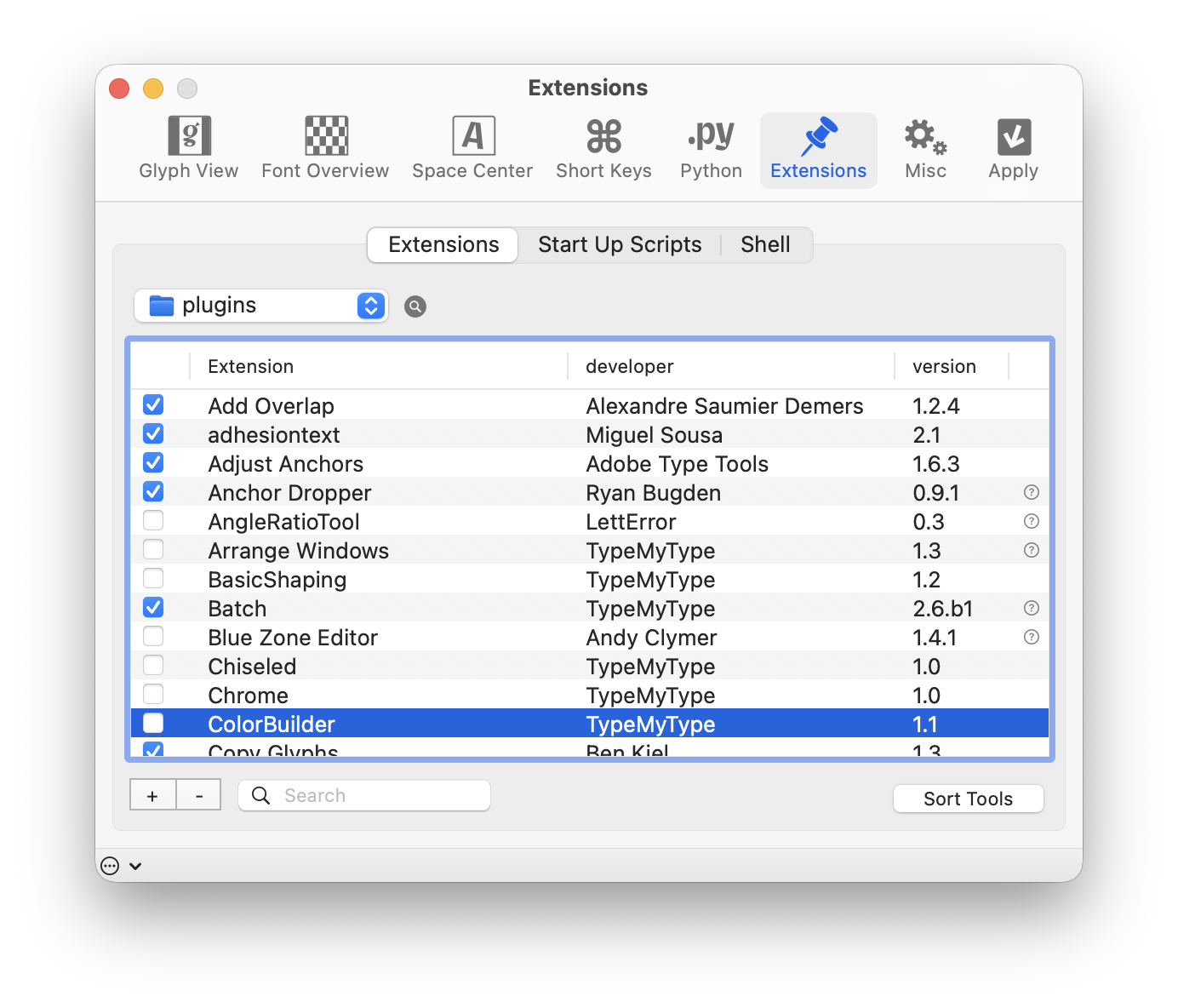
Having lot and lots of extensions installed is super, this release helps you to enable/disable some extensions you still want to keep but are not necessary to be installed during every launch.
-
Option double click to convert curves back to lines
Check the release notes for a more detailed overview of all the changes and enjoy!
Download available from robofont.com